

Connect Ticketure
Survey every guest the day after their admission ticket is scanned, with no code changes.
With Ticketure connected, Encore surveys guests automatically the day after their admission ticket is scanned at the gate. You don't export lists or change anything on your ticket site.
How it works
- Ticketure tells Encore whenever a ticket changes (a purchase, a scan, a refund) through a ticket audit webhook.
- Encore waits about 30 seconds for bursts to settle, then reads the order: the guest's name, email, phone, SMS consent, venue, tickets and scan times.
- If an admission ticket was scanned, Encore schedules one survey for that order and visit date. Add-ons alone (parking, for example) don't count.
- The survey goes out on your survey's schedule, by default the next day between 10am and 7pm venue time.
One order gets at most one survey per visit date, however many tickets it has and however many times Ticketure sends the same update.
Before you start
You'll need:
- Your public ticket site address, for example
https://tix.yourbrand.com. That's all Encore needs to read orders; no Ticketure login is required. - An API key is optional. Add one only if Ticketure gave you one.
- Access in Ticketure to add a webhook (or someone who has it).
Connect
- Go to Connections and click the Ticketure tile under Where guests come from.
- Fill in:
- Public ticket site, for example
https://tix.yourbrand.com. - Admission ticket types (optional): a comma-separated list such as
General Admission, VIP. Leave it empty to count any admission event. - Default timezone, for example
America/Denver. Used when a venue has no timezone of its own. - API key (optional). Leave it blank to read orders from the public ticket site. It's stored encrypted.
- Public ticket site, for example
- Click Connect Ticketure. Then click Test connection; you should see "Connection works ✓" and how many venues were found.
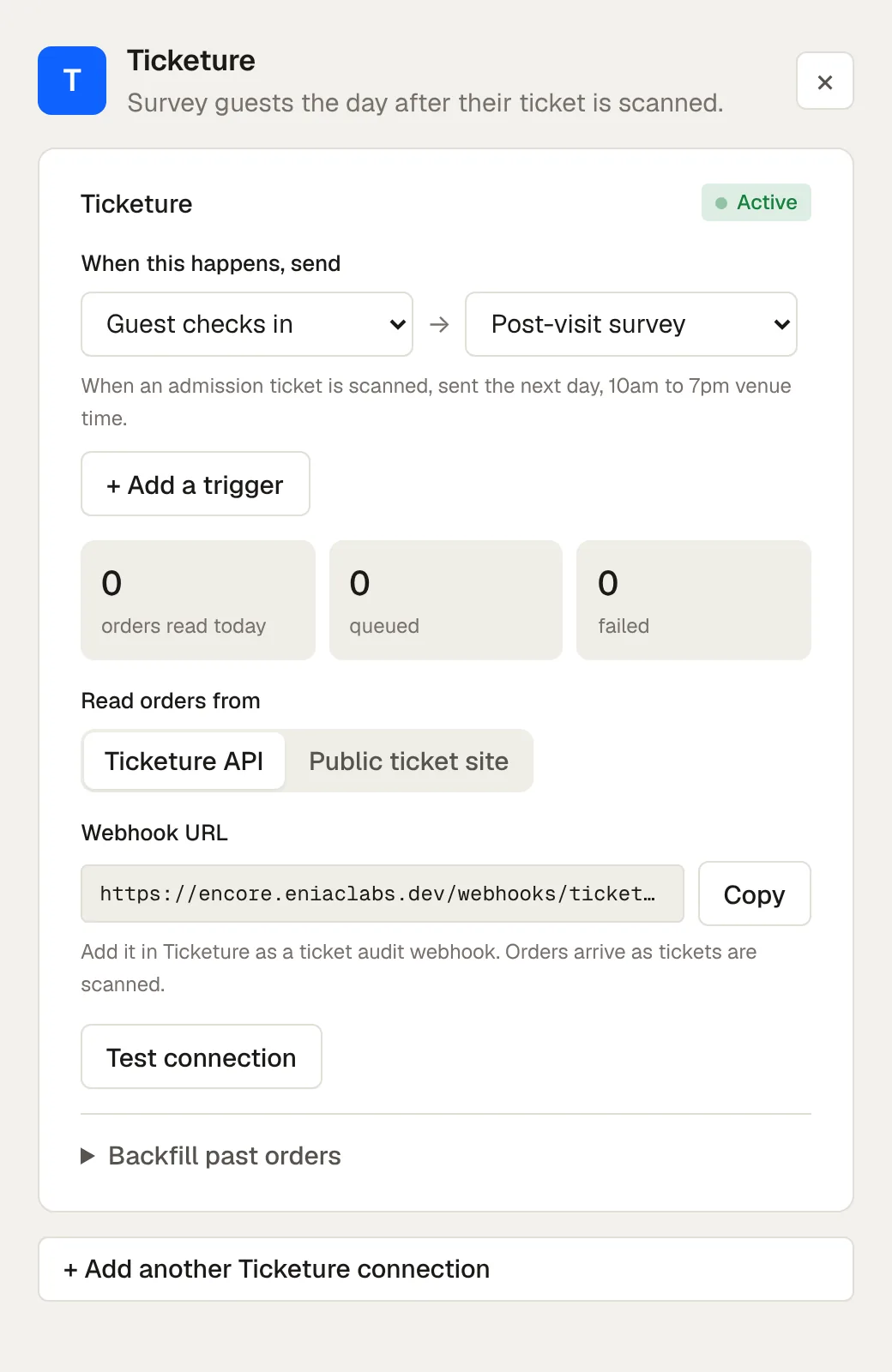
- Under When this happens, send, check-ins send your survey. Click + Add a trigger for more (see below).
Add the webhook in Ticketure
After connecting, the Ticketure card shows a Webhook URL. Click Copy, then add it in Ticketure as a ticket audit webhook. If you already have a ticket audit webhook going to another system, keep it: add Encore's as a second one.
Once it's in place, the card shows three counts: orders read today, queued and failed. Scan a ticket (or wait for the gates to open) and orders read today starts to climb.
Triggers: when a survey goes out
Each row on the card is "when this happens, send this survey". One webhook feeds every row, and each trigger can be used once per card.
| Trigger | What it means |
|---|---|
| Guest checks in | An admission ticket is scanned. Sent on your survey's schedule after the visit. |
| Order placed | Someone buys tickets. Cancelled if the order is refunded first. |
| Before the visit | A set number of days before the visit date (2 by default). Cancelled if refunded. |
| Guest didn't come | Nobody on the order was scanned on the visit day. Scheduled when they buy; cancelled as soon as an admission ticket is scanned or the order is refunded. |
| Order refunded | Every admission ticket on the order is refunded or voided. |
| Add-on used | An add-on such as parking, a locker or a food voucher is scanned. |
Ticketure doesn't scan guests out, so there's no "checks out" trigger like Eventbrite's. To send the same survey from Ticketure and another source, pick it on both cards: a guest gets it once.
Where order details come from
Under Read orders from you can choose:
- Public ticket site (chosen when you connect without an API key): reads the same order details your guests see on their order page. No login is used.
- Ticketure API: reads the order through Ticketure's API, using your API key if you added one.
You can switch at any time; nothing already scheduled changes.
Survey past orders (backfill)
To survey guests from orders that came in before you connected, open Backfill past orders on the Ticketure card, paste one order id per line and click Queue orders. Each order is read and surveyed the same way as a live one, and orders already surveyed are never surveyed twice.
Several venues or ticket sites
Venues come from your Ticketure sellers, each with its own timezone, so "the next day at 10am" means 10am where the guest visited. If you run more than one Ticketure account, you can connect each one separately and have each send its own survey.
Common questions
Do guests who only bought parking get a survey? No. Only scanned admission tickets count. Use Admission ticket types to narrow it further, for example to General Admission, VIP only.
What if a guest visits twice? Each visit date is its own visit, but the survey's Skip guests who got a survey in the last 30 days setting stops them being asked again too soon.
What about refunded orders? A survey is only scheduled once a ticket is scanned. Orders that are refunded before the visit never get one.
Can I trigger a survey from my own system instead of the webhook? Yes. With a Ticketure connection, your system can send just the order id to the REST API (POST /v1/orders) and Encore fills in the rest. See Connect other sources.
Didn't find what you need? Email hello@eniaclabs.dev.