

Plugs into the tools you already run
Guests come in from your ticketing platform, store or spreadsheets. Answers go out to your CRM, your team chat and your own systems. Most connections take minutes and no code.
Bring guests in
Connect as many sources as you like. Each one chooses which survey it sends, and a guest who appears in two sources still gets one survey.
TicketureBuilt in
Survey every guest whose admission ticket is scanned, plus order, pre-visit, no-show, refund and add-on triggers. One webhook, no code.
Setup guide →EventbriteBuilt in
Sign in with Eventbrite and choose your triggers: check-in, order placed, no-show, before the event, check-out or refund.
Setup guide →Shopify
For tickets or experiences sold on a Shopify store. Survey when an order is fulfilled, paid or placed.
Setup guide →Zapier and Make
Send guests from any of thousands of apps with a Zap or a Make scenario.
Setup guide →Google Sheets
Keep a guest list by hand? Encore checks the sheet every 15 minutes and surveys new rows.
Setup guide →CSV upload
For a one-off list or a past event. Encore checks the file and shows you what it found before anything is sent.
Setup guide →REST API
Your own POS, CRM or ticketing system makes one call per order, and Encore does the rest.
Setup guide →Ticketure
Built-in integrationTicketure runs ticketing for timed-entry attractions and seasonal events. Encore reads Ticketure orders directly, so a venue can go from signed up to surveying guests in an afternoon.
The problem
Feedback tools for events usually need a developer to wire them into a ticketing platform, and most only see who bought a ticket, not who showed up. Surveys go to no-shows, parking passes trigger duplicates, and nobody can tell which time slot or venue a score came from.
How Encore connects
Point a Ticketure webhook at Encore. When a ticket changes, Encore reads the order: the guest, the event, the time slot, the ticket type and the guest's SMS opt-in. Only admission tickets count, so add-ons like parking never trigger a survey, and each guest is asked once per visit.
What you get
Surveys reach the right guests at the right moment, whether that's the morning after they came, before their visit or after a missed one, and every response arrives tagged with venue, date, slot and ticket type. One connection can hold several rules, each sending its own survey.
At a glance
- Setup
- Your public ticket site address and one webhook
- Triggers
- Check-in, order placed, before the visit, didn't come, refunded, add-on used
- Data used
- Guest, event, time slot, ticket type, SMS opt-in
- Code changes
- None
Put answers to work
Every new answer reaches your tools within minutes, and Encore retries automatically if one is briefly down.
Customer.io
Every score and comment lands on the same guest's profile, ready to trigger campaigns and segments.
Setup guide →Slack
Unhappy guests' comments post to a channel, so someone can follow up the same day.
Setup guide →Webhooks
Signed JSON to any URL on every survey and answer, retried automatically if your system is down.
Setup guide →Zapier and Make
Reach anything else: add a row to a sheet, create a CRM task, email a manager.
Setup guide →Staff alert emails
No Slack? Email your team about unhappy guests, with their contact details so staff can reply directly.
Setup guide →CSV export
Download every response, with every order field, whenever you need it. Your data is always yours.
Setup guide →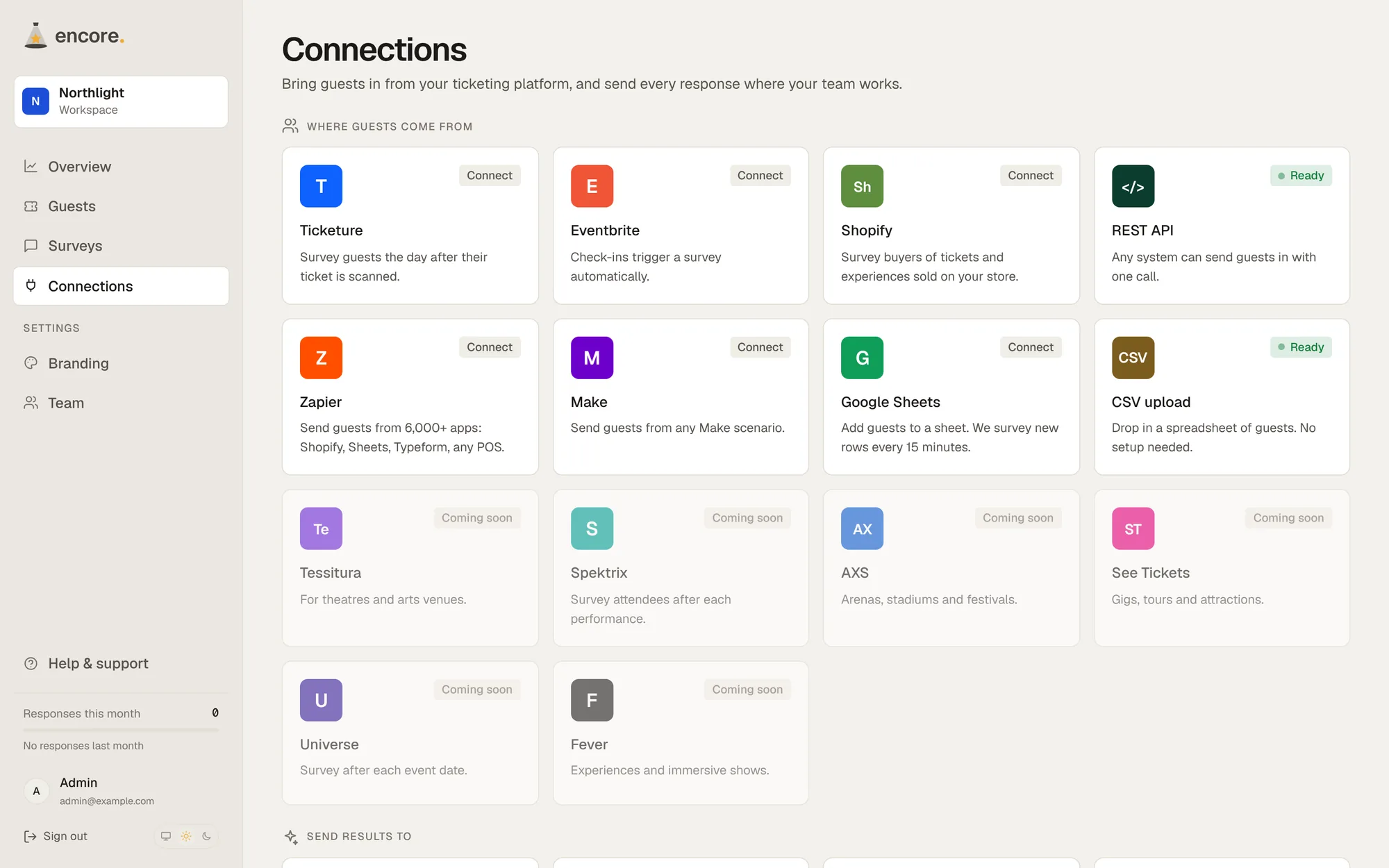
Demo data for a fictional event, Northlight.
One call per order
Send a guest from any system with a single authenticated request, or just an order id if you have a ticketing connection. Retries with the same key never double-send. Outgoing webhooks are signed so you can check every request came from Encore.
REST API guide →POST /v1/invitations
Authorization: Bearer <your API key>
Idempotency-Key: order-123-2026-12-04
{
"survey_id": "…",
"contact": { "email": "ava@example.com",
"first_name": "Ava" },
"visit_date": "2026-12-04",
"venue": { "name": "Riverside",
"timezone": "America/Denver" },
"properties": { "ticket_type": "VIP" }
}Don't see your platform? Each integration is a small adapter, and we add them when venues ask. Tell us what you use.
See it with your own events
Tell us about your venues and ticketing platform, and we'll set up a demo with a survey in your branding. Start with a free two-week pilot at one venue.