

Everything between the gate and the dashboard
Encore is built for ticketed events: it knows who actually came, asks them at the right moment, in your voice, and turns the answers into something your team can act on.
Ask the people who came
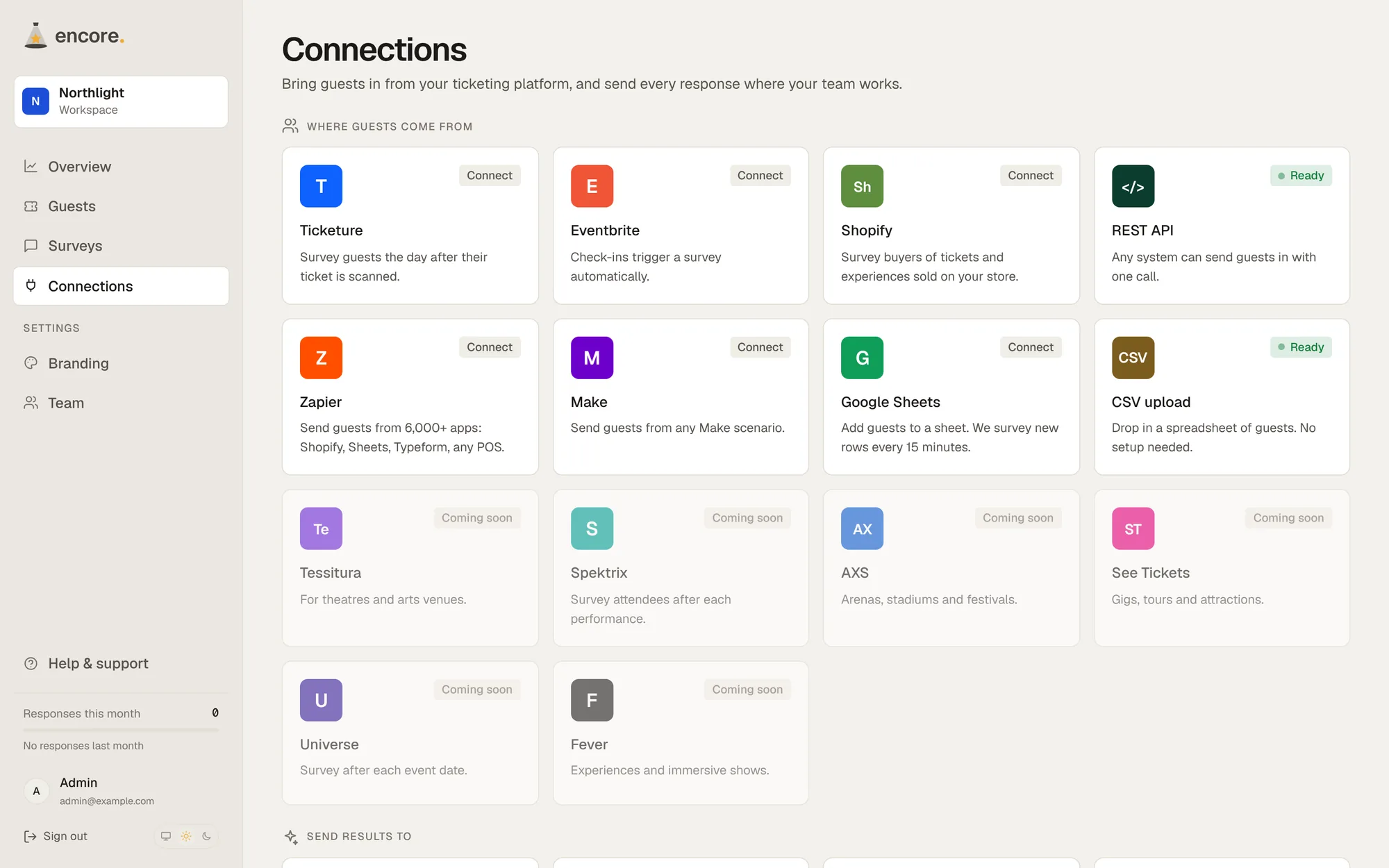
Encore listens to your ticketing platform and starts a survey when something real happens, not when a list gets exported. One connection can hold several rules, each sending its own survey.
- Guest checks in. The classic post-visit survey, triggered by the scan at the gate.
- Order placed. Ask about the buying experience while it's fresh.
- Before the visit. A few days ahead, for expectations and logistics.
- Guest didn't come. The day after a no-show, ask what got in the way.
- Order refunded, add-on used, guest checks out. Where your platform supports them.
- Only admission tickets count. Parking and add-ons never trigger duplicates, and each guest is asked once per visit.
Reach guests where they'll answer
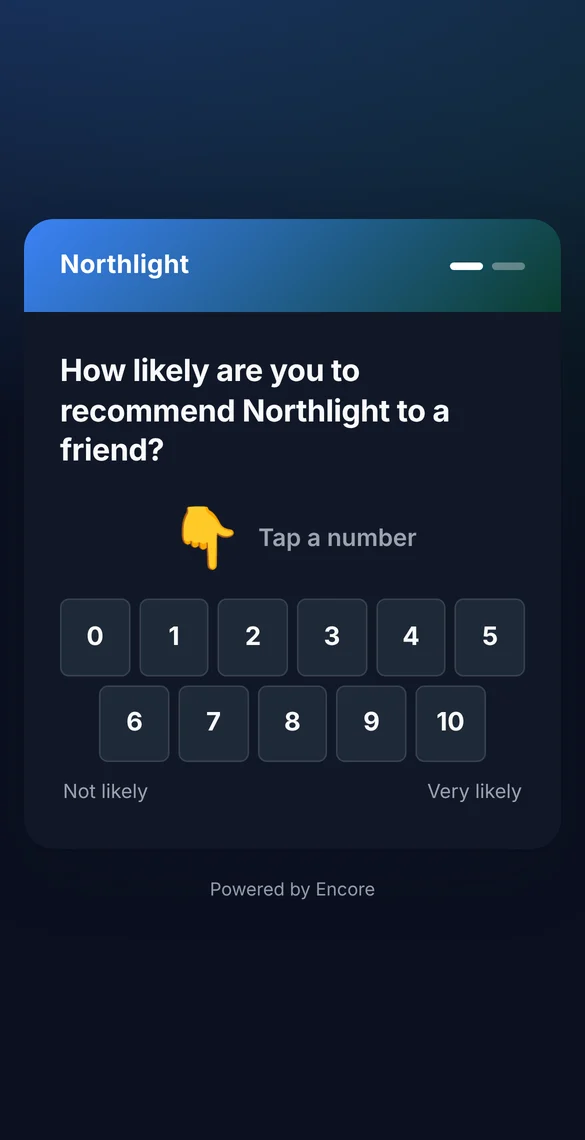
Send by email, by text message, or share a link anywhere. Encore picks the right channel for each guest based on what they agreed to.
- Email from your brand name, with the first question built into the message so one tap starts the survey.
- SMS only to guests who opted in at checkout, with STOP and HELP handled for you. Launching late November 2026.
- Email fallback for guests who didn't opt in to texts.
- Shareable link for QR codes, receipts, newsletters or your own messages.
- Unsubscribes honoured across every survey and channel.
The right moment, in the guest's time zone
Each trigger has its own timing: minutes after a booking, days before a visit, or the morning after a check-in. Encore schedules every survey for when it's most likely to be read, and never in the middle of the night.
- Days after, at a set time or spread across the day, or a set number of hours after the trigger.
- Send window in each venue's own time zone, so nobody gets a 3am text.
- No over-surveying: skip guests who already got a survey in the last N days.
- Send now and Try again for any guest, with the reason a message wasn't delivered.
- Pausing a survey cancels what's scheduled, so nothing goes out by surprise.
- Paced sending so a sold-out weekend goes out on time without tripping spam filters.
One guest, start to finish
- Sat 7:40 PMGuest's ticket is scanned at the gate.
- Sat 7:40 PMEncore reads the order and schedules one survey for that guest.
- Sun 10:00 AMThe survey arrives, inside the venue's send window, from your name.
- Sun 10:12 AMThe guest answers. The score is on your dashboard and in your tools.
Start from a template, make every word yours
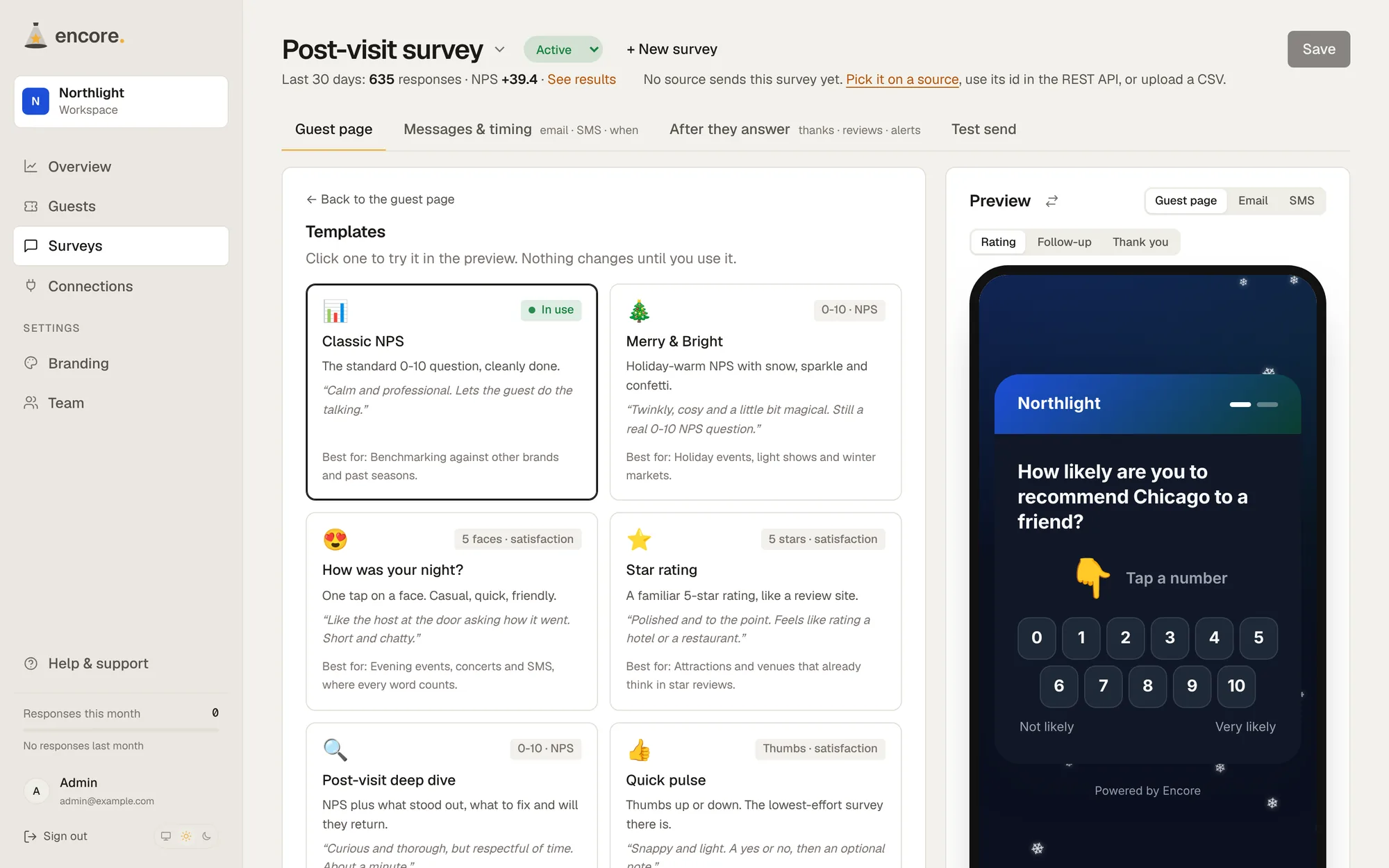
Pick a template with its own voice, from a classic NPS question to a festive night out, or start from scratch. Every message, question and button is editable.
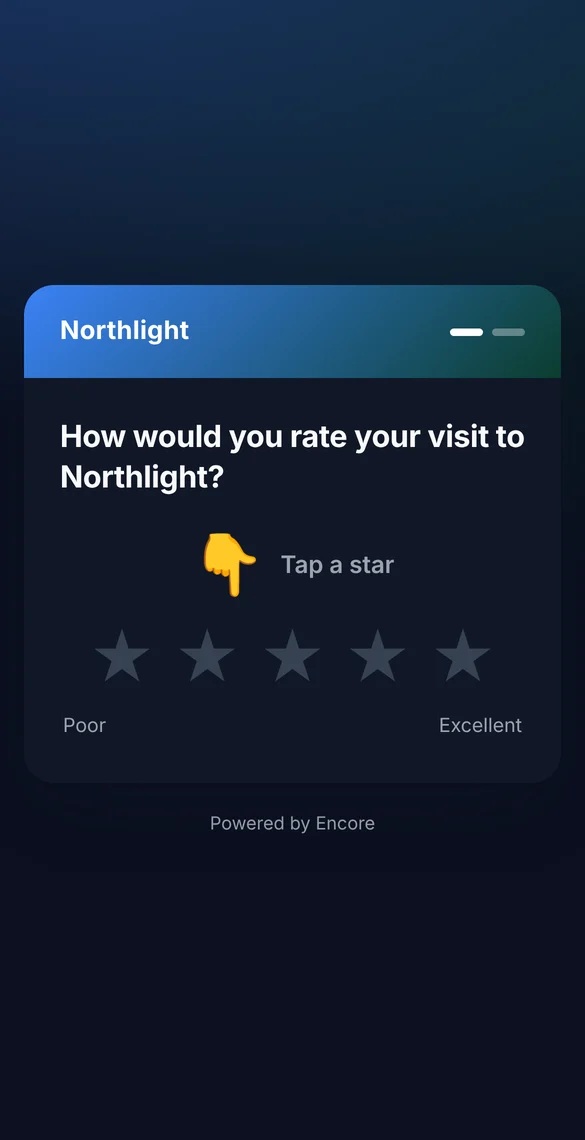
- Rating styles: 0-10 NPS, stars, faces or thumbs.
- Follow-up questions that change with the score, plus a grid to rate parts of the visit.
- A thank-you page with its own words for happy, okay and unhappy guests.
- Personal details like first name, venue and visit date, in any message.
- Your own tracking with UTM parameters on every link.
- Test sends to yourself, kept out of your stats and billing.
Your brand, not ours
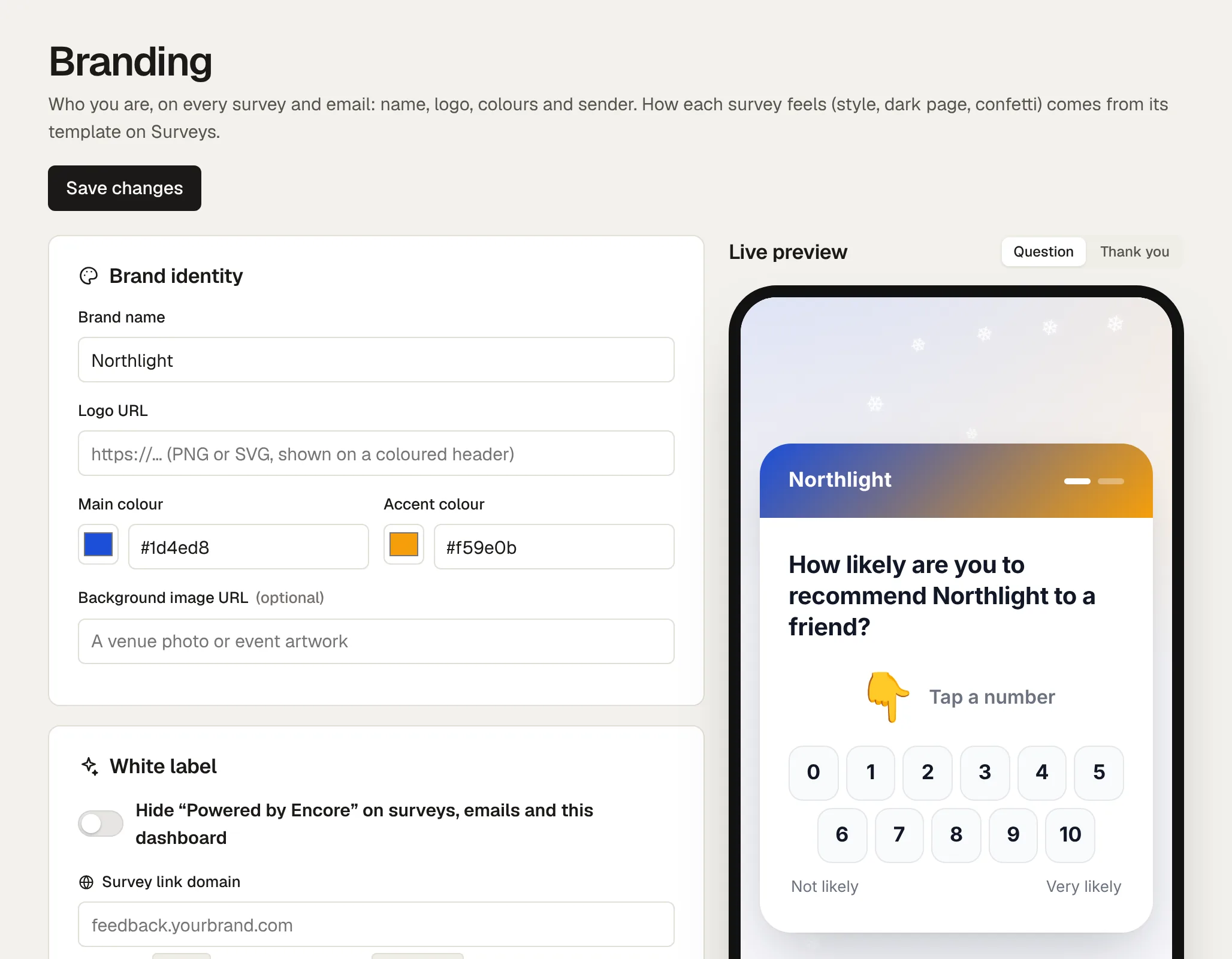
Guests see your name, logo and colours on every survey and email, with a live preview while you set it up. White label removes the Encore mention entirely.
- Colours and logo, with six colour styles and six fonts to choose from.
- Dark guest pages and your own venue photo as the background.
- Finishing touches like confetti for happy guests and seasonal animations such as snowfall.
- Sender name set to your brand, so guests recognise the message.
- Your own domains for survey links and the email sender.
Numbers your marketing team can trust
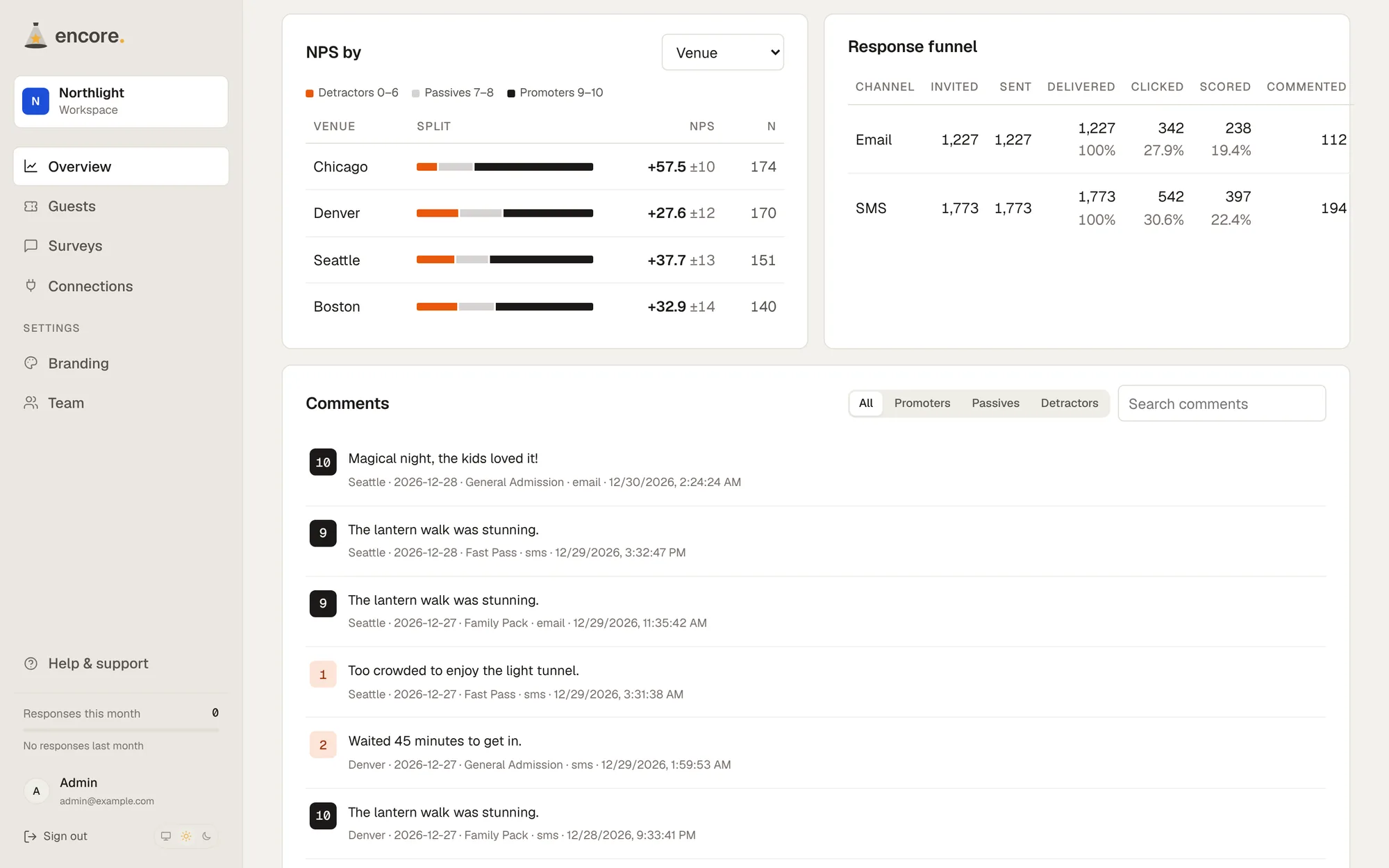
Built for the people who read the results, not just the people who set up the survey. Every answer keeps a snapshot of the order it came from, so you can slice by anything.
- NPS with its margin of error, so a small dip on a quiet night isn't mistaken for a trend.
- Guest satisfaction for star, face and thumbs surveys, kept separate from NPS.
- Slice by any field: venue, visit date, time slot, ticket type, channel or anything on the order.
- Response funnel from sent to delivered, opened and answered, by channel.
- Every comment, filterable by promoters, passives and detractors.
- Saved views and CSV export for the reports you run every week.
Close the loop, respect every guest, and keep it simple to run
Act on what you hear
Staff alerts by email or Slack when a guest is unhappy, so someone can reach out the same day. Happy guests get a review button for your Google or TripAdvisor page, per venue if you like.
Every guest, and their choices, in one place
Profiles with every visit and answer, one guest per email across sources, unsubscribe or delete in one click, and data retention you set. Texts only go to guests who opted in. Read our privacy policy and SMS terms.
Invite your team
Everyone gets their own sign-in and sees the same numbers.
Clear usage
A Usage page shows this month's responses, emails and texts as they happen. See pricing.
Screenshots show demo data for a fictional event, Northlight.
See it with your own events
Tell us about your venues and ticketing platform, and we'll set up a demo with a survey in your branding. Start with a free two-week pilot at one venue.